Message queues vs event streams: SQS, RabbitMQ, Kafka
Use SQS or RabbitMQ for work distribution; use Kafka when you need retained event logs, replay, fan-out, and per-key ordering.

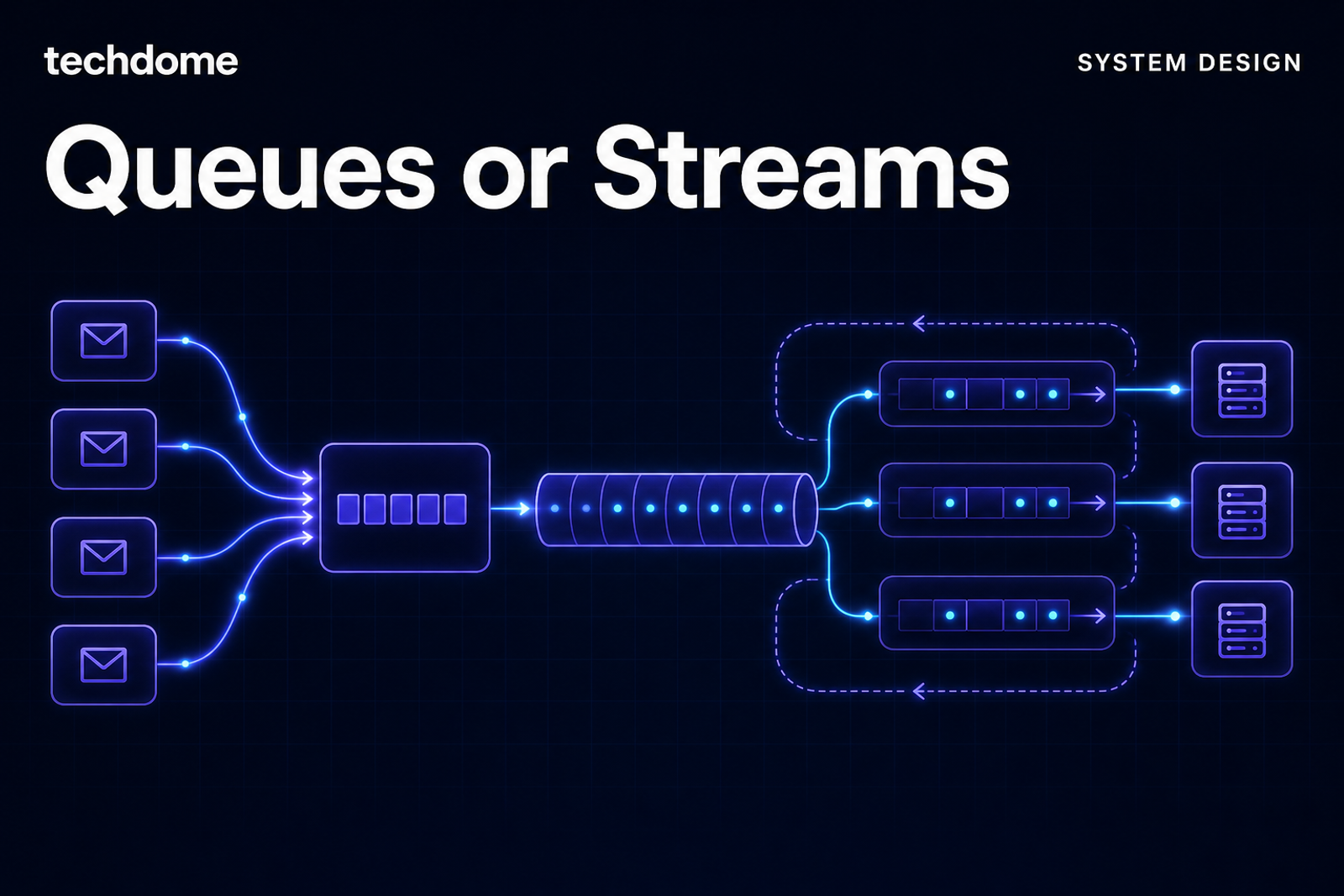
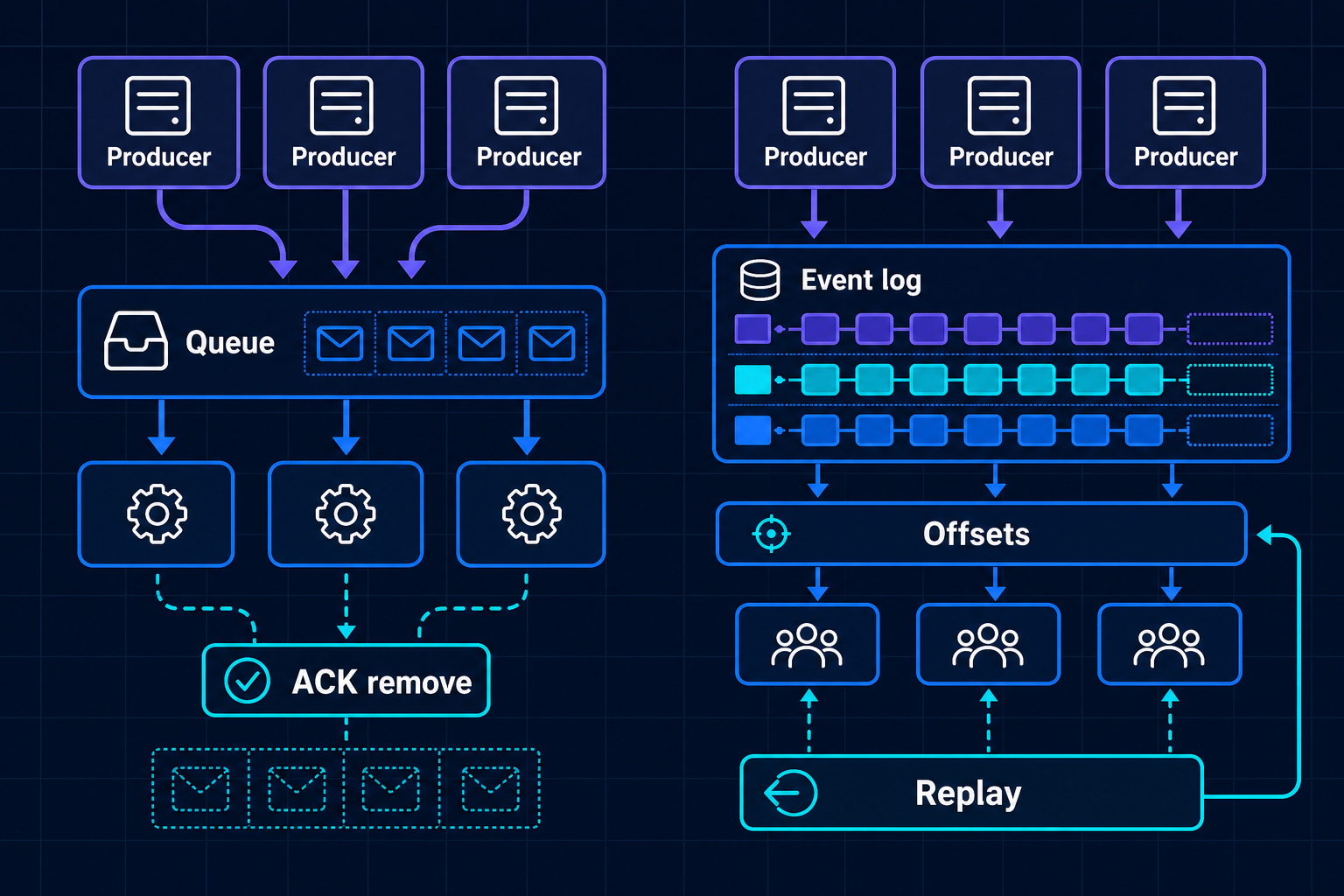
Message queues vs event streams is mainly a question of intent. SQS and RabbitMQ move work to consumers and remove it after success; Kafka stores events in an append-only log so consumers can read and replay them independently.
Message queues vs event streams: the core model
A queue is best when one unit of work should be handled by one worker: send an email, resize an image, charge a payment step, run a background job. SQS gives a managed AWS queue; RabbitMQ adds flexible routing with exchanges and per-message ack/nack control.
An event stream is best when an event becomes shared system history: order placed, sensor reading received, ticket scanned, account updated. Kafka is designed around retained topics, partitions, offsets, and many independent consumers. That is why it fits analytics, CDC, audit pipelines, and real-time dashboards. Techdome’s Catalyst product page is one example of a stack that includes Apache Kafka for real-time manufacturing and mobility analytics.
Delivery, ordering, and replay
Queues usually give at-least-once delivery. SQS Standard can deliver duplicates. SQS FIFO adds ordering and deduplication behavior within a MessageGroupId. RabbitMQ uses acknowledgements; messages can be redelivered when consumers fail or nack.
Kafka is also at-least-once by default, but idempotent producers and transactions support exactly-once processing patterns for producer-to-topic-to-consumer workflows. The important constraint is partition scope: Kafka ordering and processing guarantees are tied to partitions, not a single global order.
Replay is the biggest practical split. In SQS and classic RabbitMQ queue usage, an acknowledged message is removed. Kafka retains events for a configured retention or compaction policy, and consumers manage offsets, so they can rewind and replay. If retries and duplicate delivery are your main concern, the design discipline overlaps with webhook retries and idempotency keys: consumers still need safe reprocessing.
A simple decision guide
Use SQS when:
- You want low-ops managed work distribution on AWS.
- Each message represents a task, not durable business history.
- At-least-once delivery with idempotent consumers is acceptable.
- FIFO per message group is enough when ordering matters.
Use RabbitMQ when:
- You need richer routing, exchanges, topics, or request-reply patterns.
- You want explicit ack, nack, retry, and dead-letter handling.
- Ordering is simple enough to manage with queue and consumer design.
Use Kafka when:
- Multiple teams or services need the same event independently.
- Replay, retention, CDC, analytics, or auditability are first-class needs.
- You need high-throughput fan-out with per-key ordering.
- Consumers should move at their own pace using offsets.
Whatever you choose, test the contract at the boundary. The same thinking behind API testing applies to async systems: schema, error cases, retries, and consumer behavior need automated coverage.
Trade-offs and when not to use it
Kafka is powerful, but it is not a better queue by default. It adds operational and design weight: partition strategy, retention, consumer lag, rebalancing, schema discipline, and storage planning. If you only need background jobs, Kafka is usually too much.
SQS is simple, but less expressive. It is a good default for AWS task queues, not for long-lived event history. RabbitMQ is flexible, but clustered operation and ordering under multiple consumers need care.
Do not use a queue when the business needs replayable history. Do not use Kafka when the system only needs short-lived work dispatch. For workflow automation, queue mode can matter too; our article on n8n back-office automation discusses staged workflow thinking without making every step an event stream.
Takeaways
- Queues distribute work; streams preserve event history.
- SQS is the low-ops AWS queue choice; RabbitMQ is stronger for routing and ack control.
- Kafka fits replay, fan-out, analytics, CDC, and per-key ordering at scale.
- Ordering is scoped: SQS FIFO MessageGroupId, RabbitMQ queue design, Kafka partition.
- If you are choosing the backbone for an async system, document the delivery, ordering, replay, and failure requirements first.
Further reading
- Webhook retries and idempotency keys, together - Useful for designing safe duplicate handling.
- API testing explained: types, what to automate, and tools - Helps test async API contracts around producers and consumers.
- Catalyst - Shows a product stack where Apache Kafka fits real-time analytics.
References
- Amazon SQS FIFO queues - SQS FIFO ordering and deduplication behavior.
- RabbitMQ queues documentation - Queue ordering and acknowledgement behavior.
- Apache Kafka design - Kafka log, partitioning, retention, and consumer model.
- Confluent Kafka delivery semantics - Kafka delivery guarantees and exactly-once processing patterns.